5 Ways to Adjust Your Sitting Posture Correctly to Reduce Long-Term Back Pain
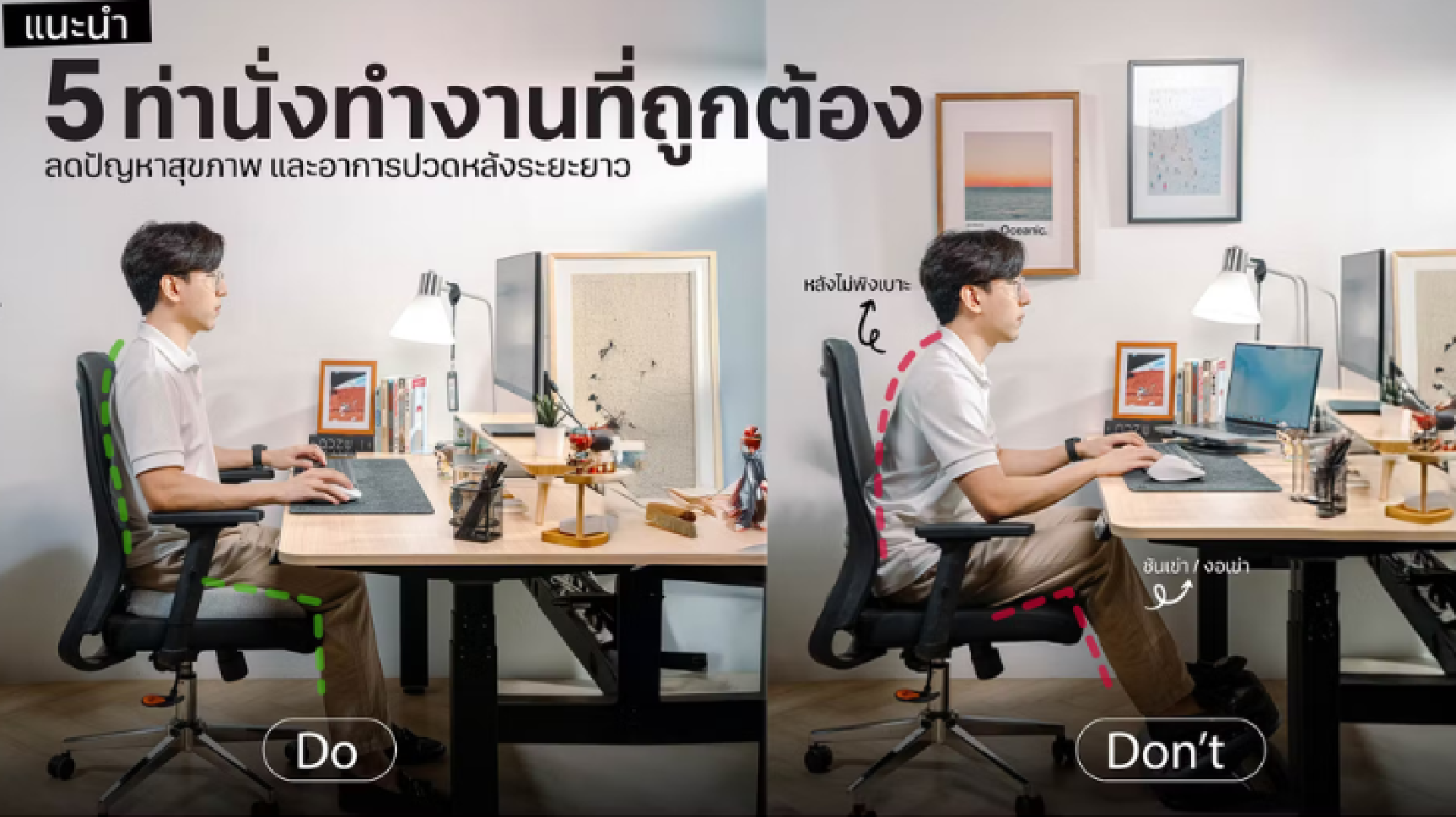
1. Sit upright and lean against the backrest at a 90° angle
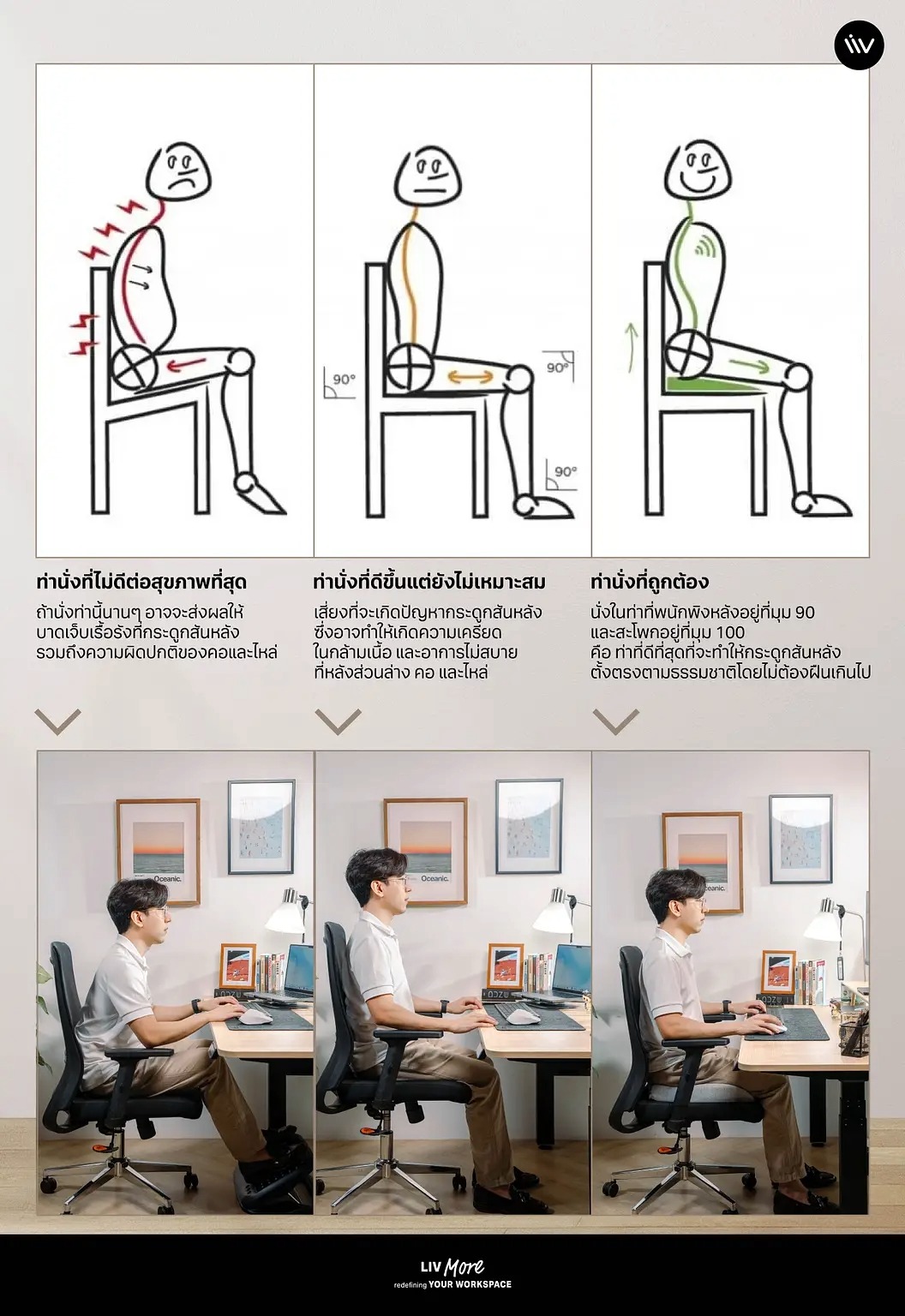
Sitting upright is the foundation of proper sitting posture. Your back should rest fully against the chairs backrest, with the backrest adjusted to approximately a 90° angle. A good chair should have lumbar support to help maintain the natural curve of the spine. If your lower back does not feel fully supported, you can use a cushion or lumbar pillow to provide additional support. Proper back support helps reduce back pain and tension in the neck and upper back muscles.
2. Position your hips at approximately a 100° angle
Sit with your hips fully supported by the seat, avoiding sitting on the edge of the chair. The hip angle should be around 100° to help maintain the natural curve of the lower spine (lumbar lordosis). This position reduces pressure on the lower back during prolonged sitting. If you feel your hips tilting backward or sliding forward, adjust the chair height or use a seat cushion to achieve the correct angle.
3. Keep your knees at a 90° angle with feet flat on the floor
Your knees should be bent at approximately 90°, with both feet resting flat on the floor. This helps distribute body weight evenly and promotes healthy blood circulation in the legs. Avoid sitting cross-legged, as it may misalign the spine and cause numbness in the legs. If the chair is too high and your feet do not reach the floor, use a footrest for proper support.
4. Position the monitor at eye level, 40-75 cm away
The position of your computer monitor directly affects your neck muscles and eye health. The screen should be at eye level and placed about 40-75 centimeters from your eyes to prevent excessive neck bending or leaning forward. Your chair should be close to the desk so your arms do not need to stretch forward when using the keyboard and mouse. Proper monitor placement helps reduce neck, shoulder, and eye strain.
5. Keep your arms in an L-shape at a 90° angle
Correct arm positioning helps reduce pain in the shoulders, arms, and wrists. Your elbows should be bent at about 90°, with your arms parallel to the desk surface. Wrists should remain in a neutral position, aligned with the elbows, without bending up or down. Using a chair with adjustable armrests can help fit your body proportions. When working for extended periods, take breaks to stand up, walk around, and stretch to relieve muscle tension.
อ้างอิง https://livdesk.com/5-correct-sitting-posture-at-work-to-prevent-health -problems-and-back-pain/?srsltid=AfmBOopKRIzp_UKWTmIQGQfXqiVZkLgR1JIag-_YytyfBQjQTlQCTNDh